

How to transfer money within Calypso pay
You can take advantage of lower transaction costs by transferring funds to clients who are also Calypso Pay users.
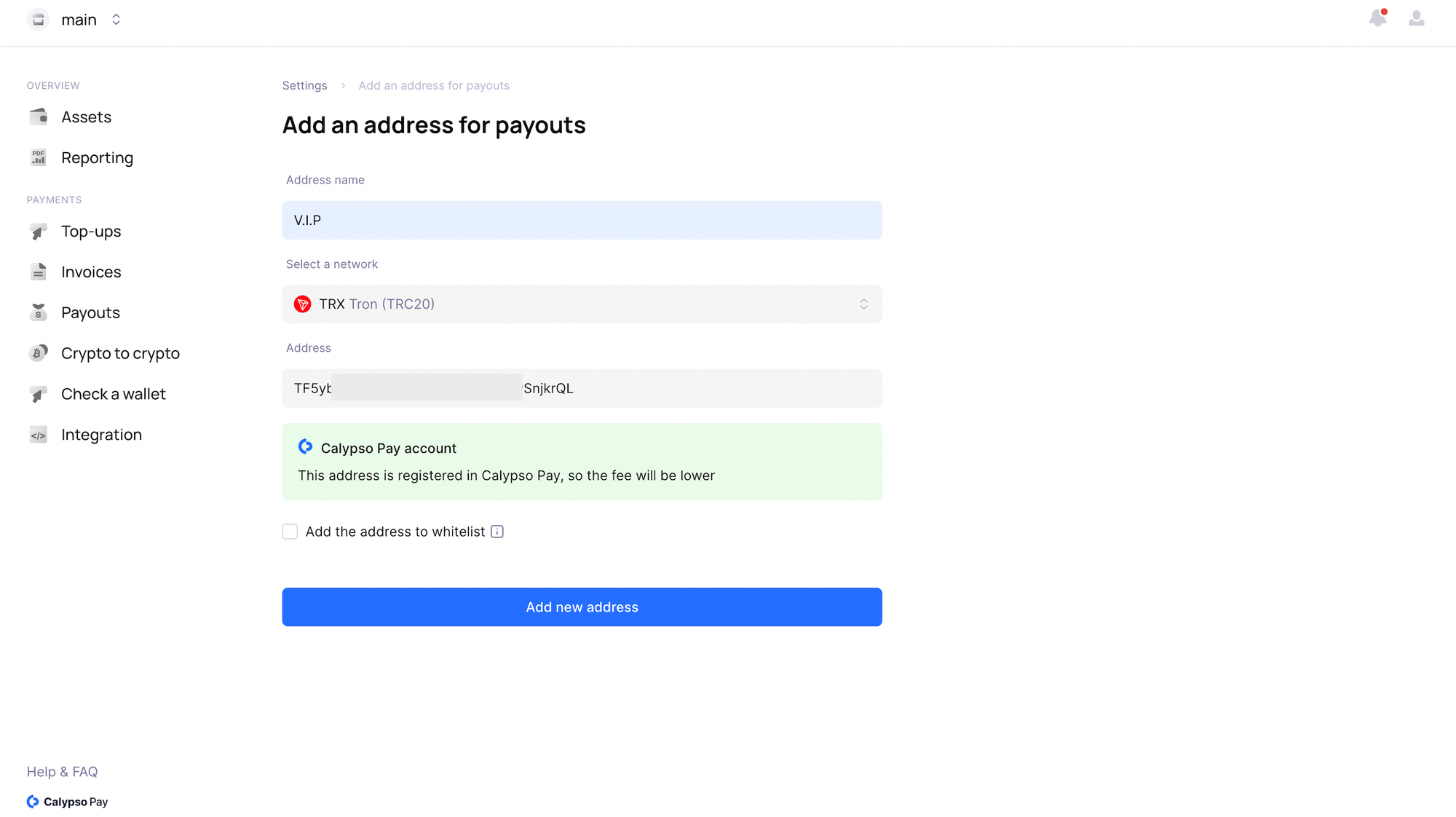
To easily identify whether a user is registered with Calypso Pay, you can add their address to your address book within the platform. This streamlined process ensures seamless transactions between Calypso Pay users.
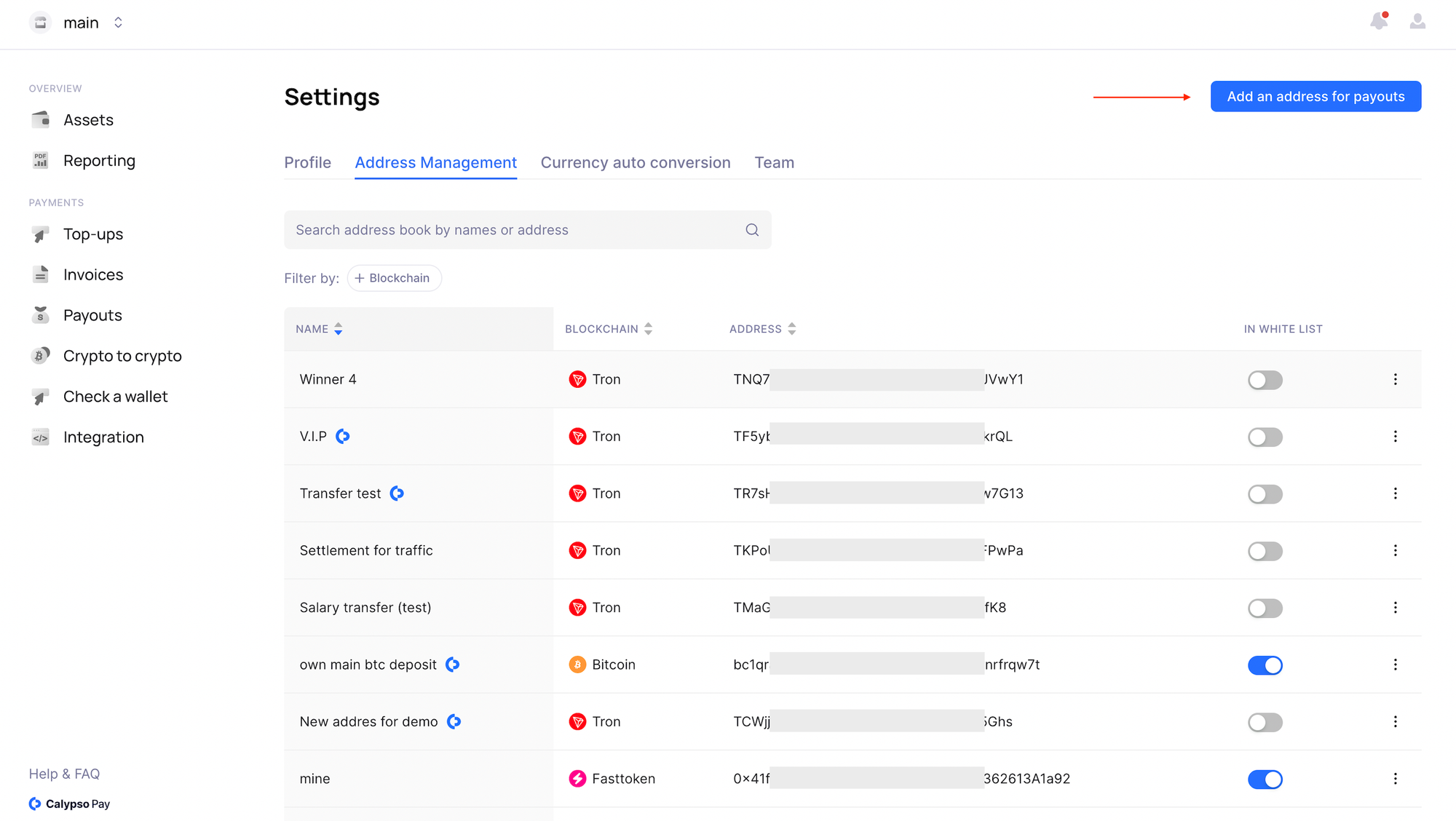
If a Calypso logo appears next to the address upon addition, it signifies that this address is a Calypso Pay client. This feature simplifies the process of identifying Calypso Pay users, ensuring efficient and secure transactions within the platform.
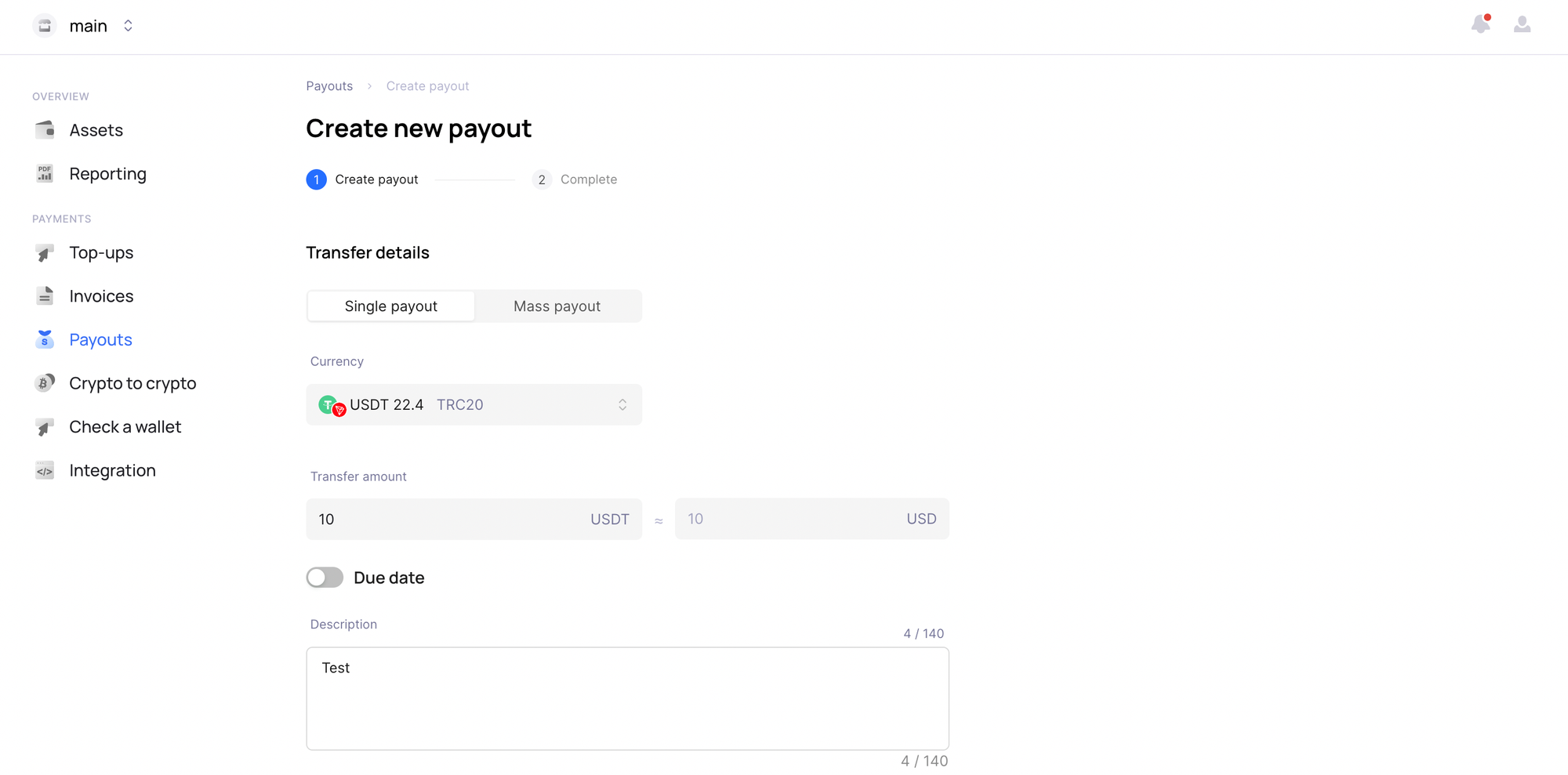
To initiate a transfer, navigate to the "Payout" section. Choose the payout type and enter the amount you wish to transfer.
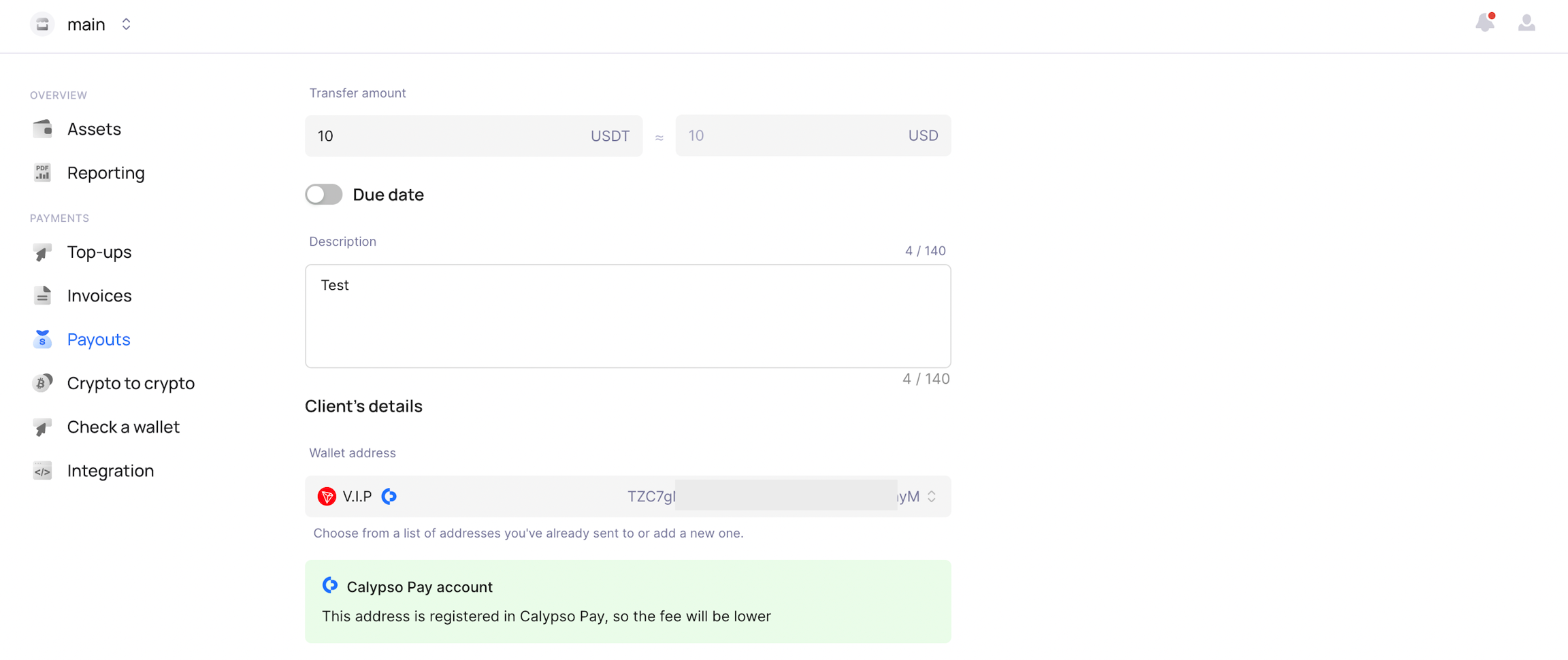
Enter the description and select the recipient from your address book. A distinctive banner will indicate that you're transferring funds to another Calypso Pay user, ensuring a seamless and secure transaction experience.
Last updated